New Tools Improve Access to Client ID History
ICA works continuously to identify and merge duplicative client records. While this improves data quality, it can sometimes make it harder to track older client ID numbers or scan card IDs that were used in the past. Two new tools in HMIS are designed to solve this problem and make it easier for users to find the information they need.
ICA works ongoing to identify and merge duplicative client records. While this improves data quality, it can sometimes make it harder to track older client ID numbers or scan card IDs that were used in the past. Two new tools in HMIS are designed to solve this problem and make it easier for users to find the information they need.
The first tool, called the Find Merged Client's New ID, allows users to quickly identify a client’s current ID number, even if they only have an old Client ID or Scan Card ID. When multiple records are merged, older IDs are retired and replaced with one active record. You can find this form in the Home Workspace below the data checker folders
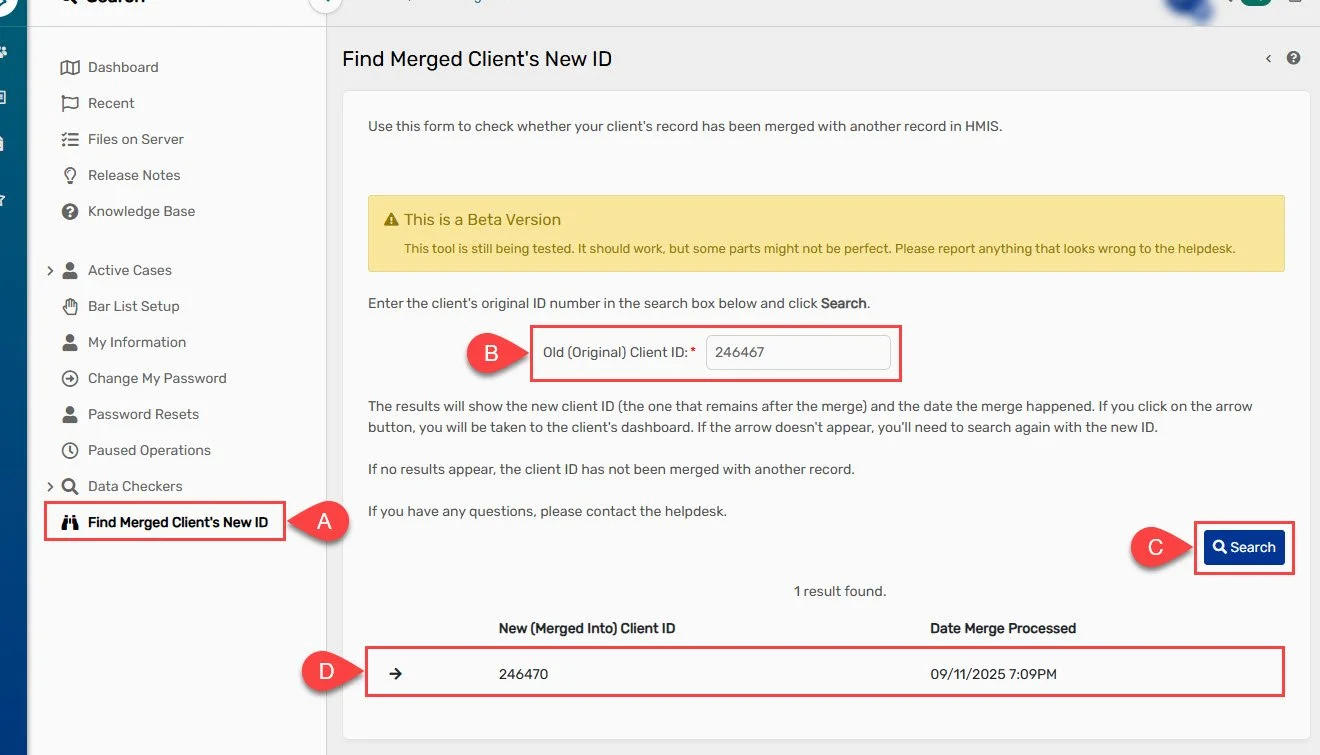
To find a client record’s new ID number, select the Find Merged Client’s New ID form (A). Once there, enter the client’s original ID (B) and select “Search” (C). The client’s new ID will then appear in the search results section (D).
The second tool is a new form called Client Merge History. This form gives users a clear list of all retired Client IDs and Scan Card IDs connected to an active client record. With this feature, users can see the full history of all records merged into the client's record in one place.
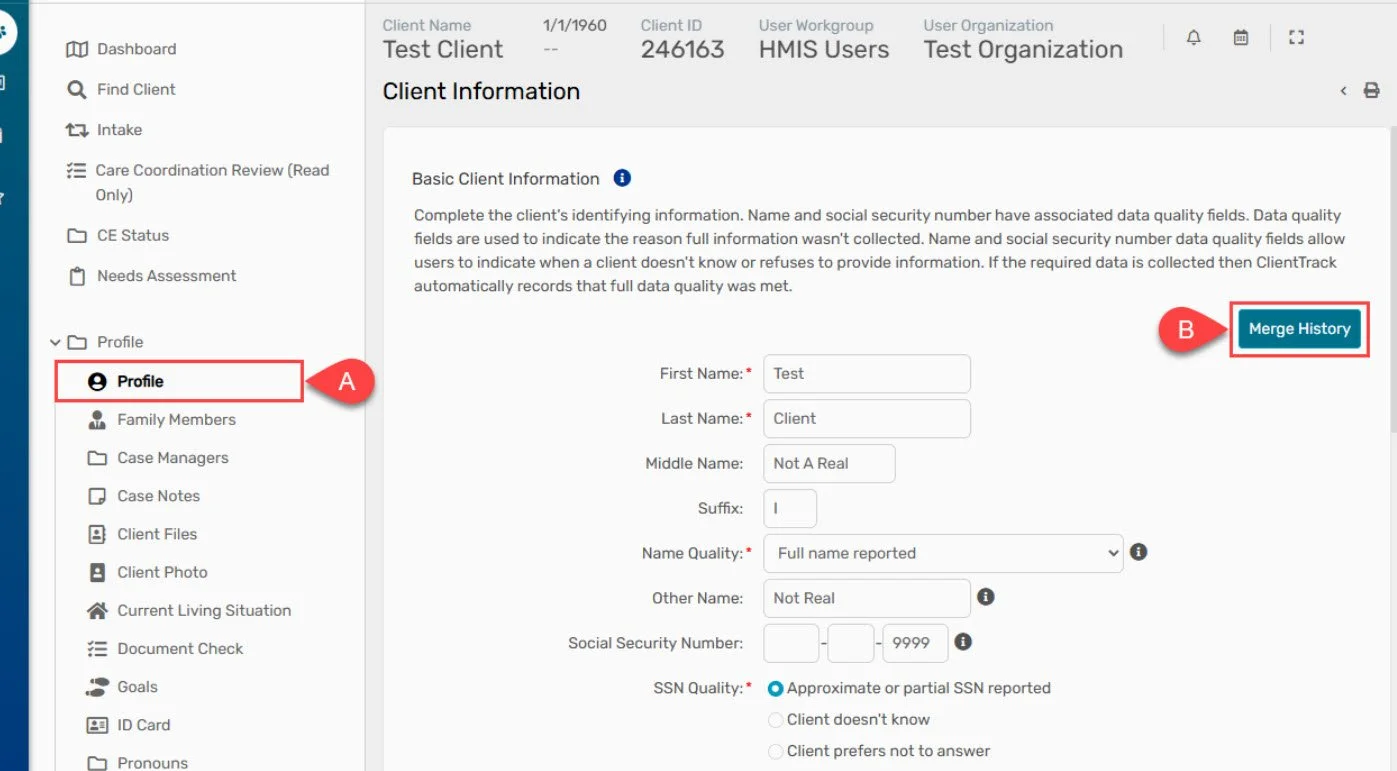
To see a list of client IDs that has been merged into a client's record, select the Profile (A) in the client workspace. Once there, click the Merge History button (B). A box will pop and display client and scan card IDs for any records that were merged in the current client record.
Although these tools make it easier to work with merged client records in HMIS, the most important tool is to always search the system carefully before adding a new client to make sure you don’t create a duplicate record. If you think a client has more than one record, email their ID numbers to the Helpdesk at mnhmis@icalliances.org. The Helpdesk team will review them and let you know if the records can be merged.